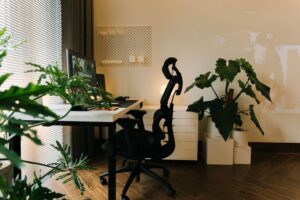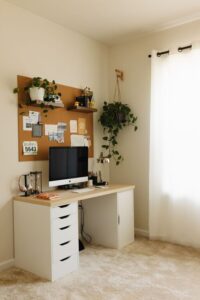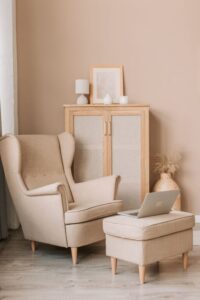
Creating a comfortable and relaxing home workspace is essential for maintaining productivity and well-being, especially when working remotely. A thoughtfully designed area can reduce stress, improve concentration, and make your workday more enjoyable. Whether you have a dedicated room or a small corner, these tips will help you transform your space into a calming and effective work environment.
Why a Relaxing Workspace Matters
A workspace that feels inviting and peaceful encourages focus and creativity. When your surroundings are cluttered or uncomfortable, distractions multiply and motivation dips. By prioritizing comfort and calm, you set yourself up for success and create a healthier balance between work and home life.
Choosing the Right Location
Selecting the ideal spot for your workspace is the first step. Consider these factors:
– Natural Light: Position your desk near a window if possible. Natural light boosts mood and reduces eye strain.
– Quietness: Find a space away from household noise to maintain concentration.
– Space: Make sure there’s enough room for your equipment and some personal touches.
Even a small nook can be effective when arranged thoughtfully.
Ergonomic Furniture and Layout
Comfort starts with the right furniture.
– Chair: Invest in an ergonomic chair that supports your back and encourages good posture.
– Desk: Choose a desk with enough surface area for your computer, notebooks, and other essentials.
– Monitor Height: Position your screen at eye level to avoid neck strain.
Arrange your desk so frequently used items are within easy reach, minimizing unnecessary movement.
Keep Things Organized
A cluttered workspace can cause stress and hinder productivity.
– Declutter Regularly: Remove unnecessary items to maintain a clean environment.
– Storage Solutions: Use shelves, drawers, or baskets to keep supplies organized.
– Cable Management: Tidy cables with clips or sleeves to prevent tangles and distractions.
Organizing your workspace saves time searching for things and keeps your mind clear.
Personalize Your Space
Adding personal touches can make your workspace more inviting and calming.
– Plants: Indoor plants improve air quality and add a touch of nature.
– Artwork: Display photos or art that inspire or relax you.
– Decor: Use calming colors like soft blues or greens on walls or accessories.
Personalization helps create a space where you enjoy spending time.
Control Lighting and Sound
Lighting and noise levels greatly impact your ability to concentrate.
– Lighting: Combine natural light with adjustable desk lamps for evenings or cloudy days.
– Sound: Use noise-canceling headphones or white noise machines if ambient noise is an issue.
These adjustments help maintain focus and reduce fatigue.
Incorporate Relaxation Breaks
Even the most beautiful workspace can’t replace taking breaks.
– Stretching: Stand up and stretch regularly to avoid stiffness.
– Breathing Exercises: Short breathing exercises can reduce stress.
– Change Scenery: If possible, move to a different spot for breaks to refresh your mind.
Scheduling regular breaks supports sustained productivity.
Keep Technology Efficient
Technology is your main work tool, so ensure it supports your efforts.
– Reliable Internet: Invest in a stable connection to avoid interruptions.
– Quality Equipment: A good keyboard, mouse, and monitor reduce strain.
– Regular Updates: Keep software updated for security and performance.
Efficient technology minimizes frustration and keeps work flowing smoothly.
Final Thoughts
Designing a relaxing home workspace is not just about aesthetics; it’s about creating an environment that supports your health, comfort, and productivity. Start with the basics—location, furniture, and lighting—and build on that with organization and personalization. Remember, a workspace tailored to your needs helps you work smarter, feel better, and enjoy your day more.