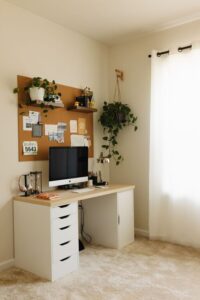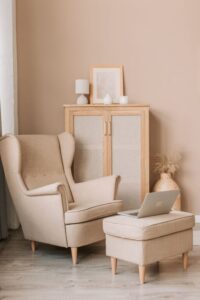
Creating a home workspace that is both cozy and productive can transform your daily routine. Whether you work remotely full-time or occasionally need a dedicated spot to focus, having a well-organized and comfortable environment helps reduce stress and improve efficiency. This guide shares practical tips on setting up a home workspace that feels inviting while supporting your work goals.
Choose the Right Location
Finding the best spot in your home is the first step. Consider these factors:
– Natural light: Position your desk near a window to take advantage of daylight. Natural light can elevate mood and reduce eye strain.
– Quiet environment: Select a low-traffic area to minimize distractions and noise.
– Accessibility: Choose a location that’s convenient for you to access but separate enough to mentally separate work from leisure.
If space is limited, consider creative options like a corner desk, a fold-away table, or converting part of a closet into a mini office.
Invest in Ergonomic Furniture
Comfort is key for long hours of work. Ergonomic furniture supports your health and productivity:
– Desk: Opt for a desk with enough surface area to hold your computer, notebook, and any other essentials without clutter. Adjustable-height desks offer flexibility to sit or stand.
– Chair: Invest in a supportive office chair with adjustable height, backrest, and armrests. Proper posture reduces fatigue and prevents back pain.
– Monitor placement: Position your monitor at eye level and about an arm’s length away to avoid neck and eye strain.
Organize for Efficiency
A tidy workspace encourages focus and makes tasks easier:
– Declutter regularly: Keep only necessary items on your desk.
– Use storage solutions: Shelves, drawers, or filing cabinets help keep documents and supplies organized.
– Desk accessories: Use trays, pen holders, and cable organizers to manage small items and keep your workspace neat.
Add Personal Comfort Elements
Incorporate items that make your workspace inviting and relaxing:
– Soft lighting: Use desk lamps or string lights with warm bulbs to create a cozy atmosphere, complementing natural light.
– Plants: Small indoor plants can improve air quality and add a touch of nature.
– Textiles: A soft rug, cushions, or a cozy throw blanket enhance comfort.
– Artwork or photos: Personalize your space with images or art that inspire you without distracting from work.
Set Boundaries Between Work and Home Life
Creating mental and physical boundaries helps maintain balance:
– Defined work hours: Stick to a routine to separate work time from personal time.
– Workspace separation: Avoid working from places associated with relaxation, like the bed or couch, if possible.
– End-of-day rituals: Closing your laptop, tidying your desk, or taking a short walk signals the end of the workday.
Minimize Distractions
Staying focused improves productivity:
– Noise control: Use noise-canceling headphones or soft background music to block out disturbances.
– Digital organization: Limit social media notifications and set specific times to check email.
– Clear schedules: Inform household members of your work hours and ask for quiet during those times.
Prioritize Good Air Quality and Temperature
Comfort involves more than just furniture:
– Ventilation: Open windows when possible or use an air purifier to keep air fresh.
– Temperature control: Use fans, heaters, or humidifiers as needed to maintain a comfortable room temperature.
Keep Healthy Habits
Your workspace can support your overall well-being:
– Take breaks: Follow the 20-20-20 rule—every 20 minutes, look at something 20 feet away for 20 seconds to reduce eye strain.
– Stay hydrated: Keep a water bottle nearby.
– Move: Stretch or do light exercises throughout the day to avoid stiffness.
Use Technology Wisely
Leverage tools that enhance productivity without adding clutter:
– Cable management: Use clips, sleeves, or boxes to keep cords tidy.
– Charging stations: Designate a spot to charge devices without creating mess.
– Productivity apps: Use calendars, task lists, and focus timers to stay organized.
Final Thoughts
Setting up a cozy and productive home workspace is about balancing comfort with functionality. Tailor your space to your needs and preferences, keeping it organized and inspiring. With some thoughtful planning and good habits, your home office can become a place where you enjoy working and accomplish your goals efficiently.
Creating a workspace that feels like your own personal productivity haven might take time, but the benefits to your comfort, focus, and work satisfaction are well worth the effort. Start small, experiment with changes, and build an environment where you thrive.